Skip to content
In designIn development · no device is for sale

Your truck has a story. RoadLink brings it together.

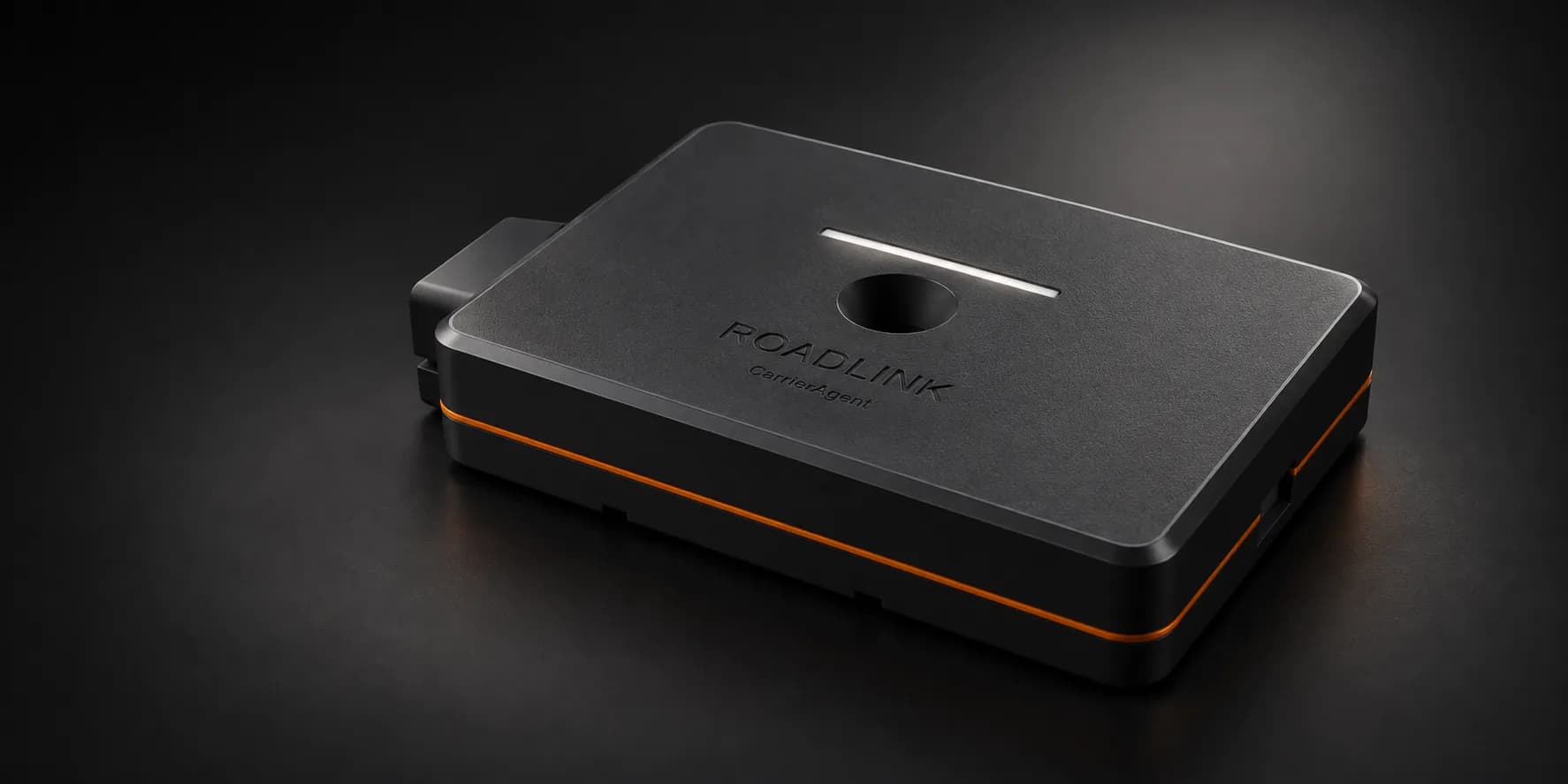
We’re building RoadLink to connect engine readings, tire sensors, trip observations and security events with the work you keep in CarrierAgent. Engine health, miles for the quarter, linked tire sensors and a security view, in one record that belongs to the truck.
Four chapters. One truck record.

Each chapter shows the customer story and what it depends on. Everything here is planned and labelled as a sample; the device reports, and you and your documents still say what was done.

1. Engine & service: Understand the history before calling the shop.

Connected truck · sample
Unit 12 · paired

What you can see depends on the truck and on how the device connects to it. RoadLink listens; it never sends a command to the engine.

Reported condition · sample
Engine hours 4,812 · coolant temperature high reported

A reported condition, with its time. It is not a diagnosis and it does not name a failed part. An older reading is shown as older.

  1. Coolant temperature high reportedFrom the truck, with the time it was reported.
  2. Thermostat replaced · Riverside Truck ServiceRecorded by you, with the invoice kept on the truck. The device cannot know a part was replaced.
  3. Same condition reported againLinked to the March repair so you can bring the history back to the shop. A recurrence does not prove a bad repair.

The plan: engine readings the truck already puts out, repeated conditions grouped together, engine hours and distance against the service schedule you set, and the repair record kept beside them. It does not certify the truck is safe to drive and it does not predict a breakdown.

2. Tires & sensors: Connect the reading to the right wheel.

Sensor · sample
Left front · sensor added

Tire pressure needs a supported sensor on a named wheel. The device on its own cannot measure a tire.

Reading · sample
Left front · 108 psi · 68°F

Pressure and temperature together, with the wheel and the last update. Which sensors work, how far the signal carries and how your truck is set up all still have to be checked.

Worth checking · sample
Left front · pressure fell quickly

A change against the range you set, in ordinary words. It is a reason to look, not a prediction of failure.

Planned accessory
Temperature probe

Follow a probe reading against the range you set. A probe is not the reefer's set point and does not certify cargo.

The plan: supported tire sensors linked to the device and the app, readings by assigned wheel, and thresholds you configure. Trailer beacons are a further planned accessory; you confirm which trailer a beacon belongs to.

3. Miles & trips: Bring observations next to the work.

Observed segment · sample
Indianapolis → Columbus · 176 mi observed

Position and truck-distance readings keep their source, time and coverage.

Coverage gap · sample
No readings for 33 minutes

A gap stays a gap. RoadLink never fills it with a route estimate or invents missing miles.

Stop candidates · sample
Arrival and time at the Columbus stop

Candidates you can review against the trip. They never complete a pickup, a delivery, a POD or a detention charge on their own.

Planned mileage tracking for the IFTA workflow, with coverage and missing sections clearly shown. RoadLink mileage is not yet available for filing. The fuel and miles records you review today stay the ones that count until RoadLink mileage is proven good enough to file with.

4. Security: Keep a record of unexpected activity.

Event · sample
Movement while parked

With the time and the last available location. Missing location stays missing.

Event · sample
Power disconnected

Recorded when the device sees it. Getting a message out after a power cut depends on an optional energy store that is not yet proven.

Event · sample
Lid opened · measured impact

A record to review and act on. It does not diagnose a crash, it does not score the driver, and nobody is contacted automatically.

A planned security view for unexpected movement and device events: movement while parked, a lid opening, power loss and measured impacts. You review the event and choose what to do. How an alert would reach you is still being worked out, so nothing here promises a message will arrive.

1 / 4In development · Sample readings

Keep the repair history with the truck.

Maintenance works as an app journey on its own. Buying RoadLink is never a prerequisite for ordinary paperwork or service records.

  1. Record the work.

    An oil service, a brake job, a tire swap: the truck, the date, what was done and the odometer.

    Building now
  2. Keep the service details.

    The shop, the parts, the cost and a note in your own words, on the truck's own record.

    Building now
  3. Attach the receipt where permitted.

    Photograph the invoice when you pay it. It stays with the owner's records; a driver with service-note access never sees the dollars.

    Building now
  4. Review the history.

    One timeline per truck, by VIN, that survives a driver change. Readings and reported conditions can join it later with RoadLink.

    Planned
  5. Plan the next service.

    Mileage, hours and date rules you set, plus registration and inspection dates surfaced before they lapse.

    Planned

With no device at all

Your own entries and the documents you photograph are the record. An owner records an oil service, keeps the shop receipt with that truck, and finds it when the buyer, the auditor or the next mechanic asks.

With RoadLink, later

Available engine hours, distance and reported conditions can join the same history, so a later condition can be read against the earlier repair. The device reports; you and your documents still say what was actually done.

Everything planned, and what each part depends on.

The whole map, in plain words. The device itself comes first; tire sensors, trailer beacons and probes are add-ons you would buy separately, and none of it is available to customers today.

Engine and service

It listens. RoadLink never sends a command to the engine and never clears a fault.

  • Engine and vehicle readingsWorks with the readings a truck already puts out. Not every truck sends the same ones.
  • Reported conditions, grouped when they repeatA reported condition is not a diagnosis and not proof a repair failed.
  • Engine hours, distance and service due datesAgainst the schedule you set. How current a reading is matters.
  • Warning lamp, DPF, coolant and voltage readingsShown for you to review. Not the maker's limits and not safety advice.
  • The truck's full history and your own service rulesThe full history is planned. Recall information would need an official source we trust.
  • The assistant explaining a reading in plain wordsOptional. The readings stay readable on their own if the assistant is unavailable.

Tires and sensors

Add-ons you buy separately. The device on its own does not measure a tire or a trailer.

  • Tire pressure, temperature and a fast leakNeeds supported sensors, each set to a named wheel. It does not predict a blowout.
  • Temperature probeCompare it with the range you set. It is not the reefer's setting and it does not certify the load.
  • Trailer beaconYou say which trailer it belongs to. Being nearby is not proof you are pulling it.
  • Support for older trucksEach wiring setup has to be checked on its own. There is no universal older-truck support.

Miles and trips

Readings that keep where they came from, when, and what is missing. Gaps stay gaps.

  • Where the truck was, how fast, moving or stoppedNo guaranteed accuracy or coverage, and no live map to watch.
  • Kept while offline, sent when the signal returnsFourteen days is the design target. It has not been proven on a truck yet.
  • Arrival, time at the stop and departureNever finish a load, set a delivery time or claim detention on their own.
  • Miles toward your IFTA quarterNot available for filing. It has to be proven on real trucks first.
  • Tap the device to mark a momentMarks the time so you can add a note later. Position only when it is available.

Security and the device itself

A record of unexpected activity for you to review. Not an alarm, and not a promise the truck comes back.

  • Movement while parked, and a knock hard enough to measureIt does not diagnose a crash, score the driver or contact anyone by itself.
  • The lid opened, or the power wentA record that it happened, not protection against it. Getting a message out after a power cut needs a backup power part that is not proven yet.
  • Pairing your phone, and noticing a different truckYou authorize the pairing. If the device sees a different truck it asks you, instead of switching by itself.
  • Readings signed by your deviceYou can tell the readings came from your device. That does not prove what the engine meant by them.
  • The device's own temperature and dampAbout the device's health, not the cab and not the cargo.
  • Light line, updates and servicingPlanned device housekeeping. Not proven in the field.
  • Other ways to connect laterBuilt-in SIM, better position fixing and satellite are possible later. Not part of the device today.
Where it stands. No device has been built, certified or confirmed to work with a particular truck. Testing it on a computer is not the same as testing it on a truck. It still has to be built, reviewed, tested on a bench, tested on a real truck and tried by real carriers before any of this reaches your truck. Location and security records would be about the truck, kept by the truck’s owner, and switched on deliberately; they are not a driver-tracking feature of the app.

Straight answers.

Can I buy RoadLink today?
No. RoadLink is in development. No device has been manufactured, certified or confirmed to work with a particular truck, and there is no ship date on this page. Joining the pilot list and ticking Roadlink is how you hear when that changes.
Will it replace my ELD or count hours of service?
No. RoadLink is not an ELD and does not track hours of service. The planned miles are for your IFTA quarter, they are not available for filing, and where readings are missing the record says so instead of filling the gap.
Does it tell me a part has failed?
No. It reports a condition the truck itself put out, with the time it happened. Seeing it repeat, and reading it next to your service history, helps the conversation with the shop. It is not a diagnosis and it does not predict a breakdown.
Can it measure tire pressure by itself?
No. Tire pressure and temperature need supported sensors, each one set to a named wheel. Which sensors work, how far the signal carries and how your truck is set up all still have to be checked.
Is the security part an alarm?
It is a planned record of unexpected events: movement while parked, a lid opening, power loss, a measured impact. You review the event and choose what to do. Nobody is contacted automatically, and it does not promise the truck can be recovered.
Who sees the truck's readings?
The truck's owner and the people the owner has given that truck's access to. Replacing a device does not rewrite history, and a company relationship never reveals an unrelated truck's past.

Get RoadLink updates.

Leave an email and tick Roadlink. We write when there is real hardware news, and not one day before.

Optional — what should we tell you about?

Your email is used to send you CarrierAgent pilot and launch updates. See the privacy policy for what the pilot list stores.